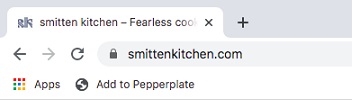
After you install the bookmarklet you can
- Search for recipes on your favorite sites
- Press “Add to Pepperplate” in your bookmarks toolbar.
Supported Sites
Recipes import automatically
Non-supported Sites
- Transfer recipe elements into the Pepperplate overlay window
- Press Save to add to your account
Installing the Pepperplate Bookmarklet Tool
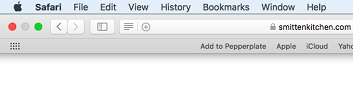
Safari
- Make sure the "Bookmarks Bar" is visible. If it is not, go to the menu View > Show Bookmarks Bar.
- Drag this link: Add to Pepperplate up to your Bookmarks Toolbar.
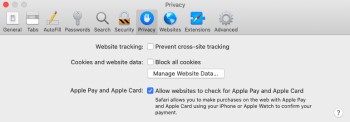
NOTE: For Safari version 13.1.2 and above, please make sure that you have "Prevent cross-site tracking" turned off under the Safari Privacy settings "Website tracking" option. To access these settings, go to the menu Safari > Preferences... and select the Privacy tab.
Microsoft Edge
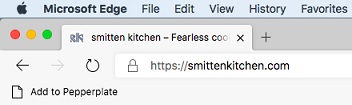
- Make sure your "Favorites Toolbar" is visible. If it is not, right click on any part of the menu bar and click "Show favorites bar" and then select "Always."
- Drag this link: <Add to Pepperplate and click "Add to Favorites"
Google Chrome
- Make sure the "Bookmarks Bar" is visible. If it is not, choose "Always show bookmarks bar" from the Tools menu.
- Drag this link: Add to Pepperplate up to your Bookmarks Toolbar.